
TrashCan
Available on the App StoreAvailable on Google PlayWhat goes out
tonight?
Your town's waste collection calendar, with a reminder the evening before and a widget on your home screen. The right bin, on the right night.
What it looks like
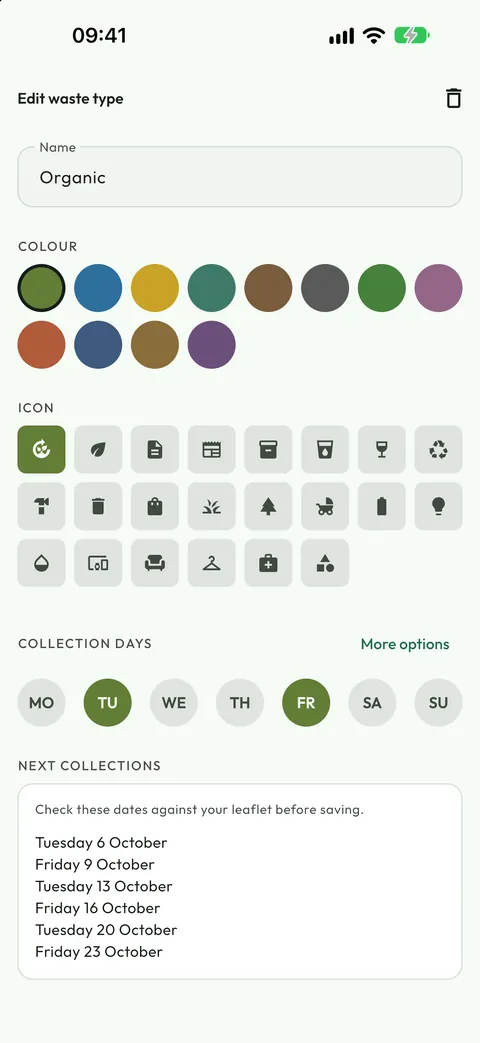
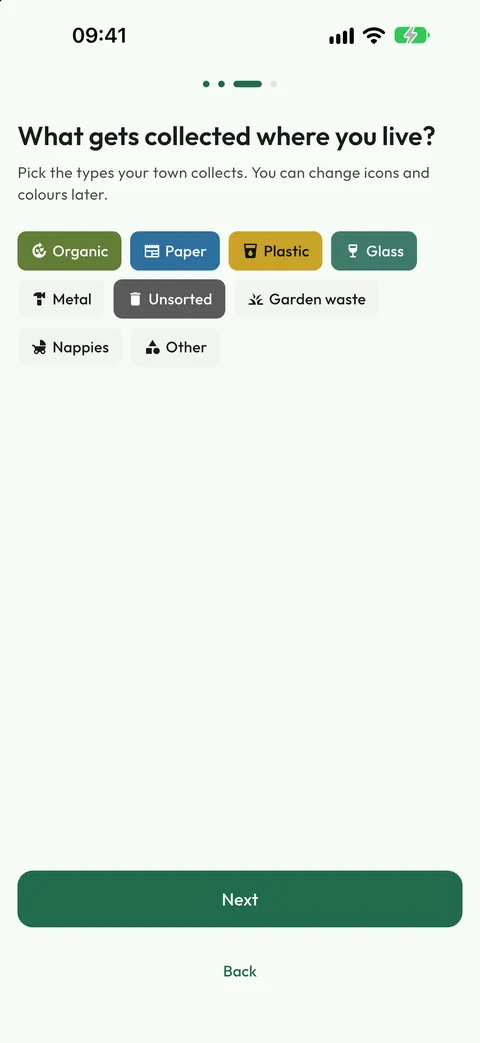
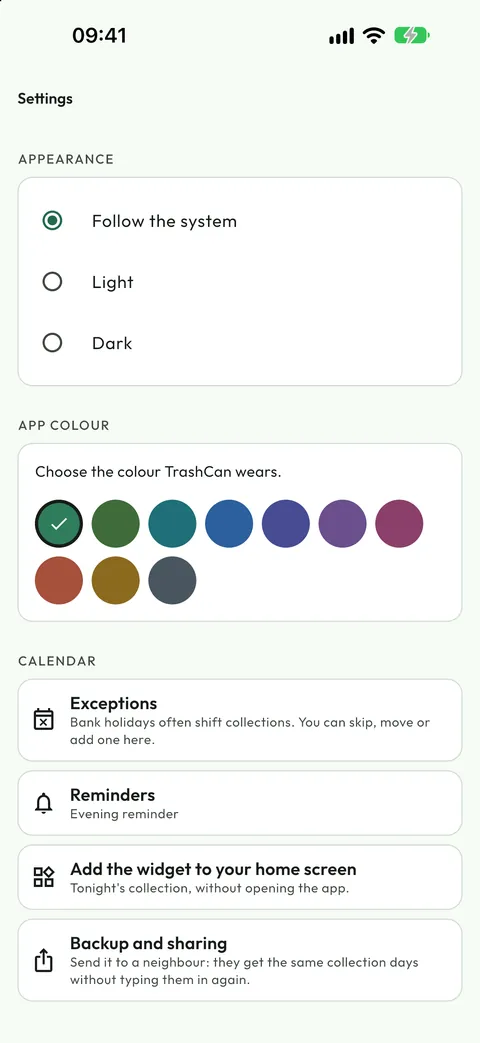
Real screenshots of the app, not mock-ups: what you see here is what you get on your phone.
The problem never changes
The collection calendar is a sheet of paper stuck to the fridge, or a council PDF nobody ever opens again. You remember it the next morning, once the truck has gone. TrashCan reminds you while you are still indoors.
Set it up once
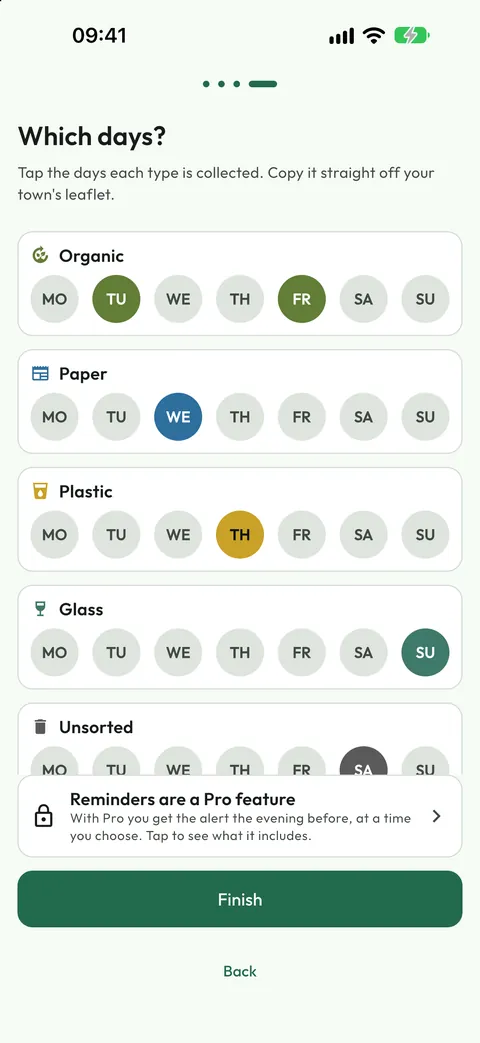
A four-step wizard: pick your waste types, the days they are collected and the time of the reminder. Five minutes and you never think about it again.
It handles real calendars
Weekly, alternating weeks, every two weeks from a start date, monthly by position, or dates picked by hand. Even your council's odd rotation fits.
Exceptions don't catch you out
Holidays, skipped rounds and extra collections: pick the collection to change, even months ahead, and the calendar adjusts itself, without touching the rule.
What you get
Everything you need to get the bin right, and nothing else.
The "Tonight" screen
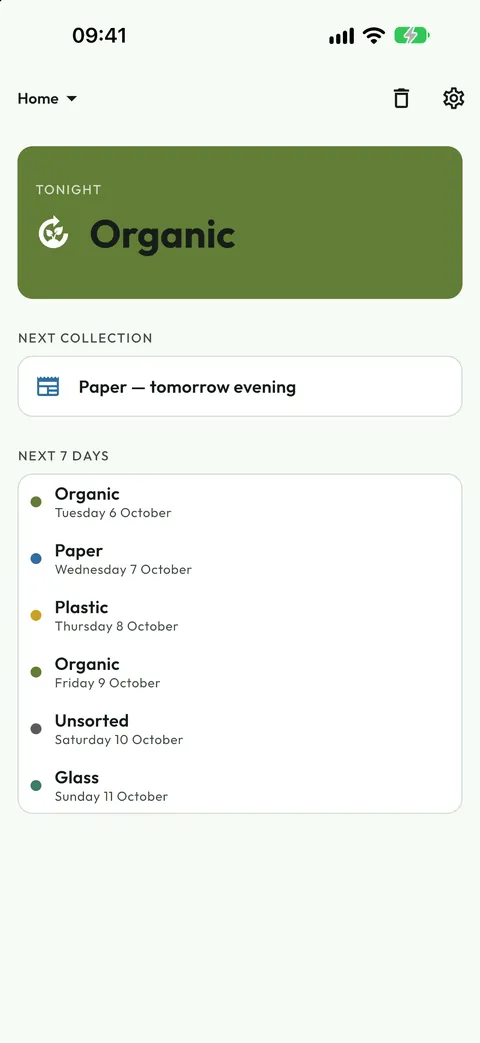
Open the app and the first thing you see is what to put out tonight, large and colour-coded. Below it, the next collection and the following seven days.
The home screen widget
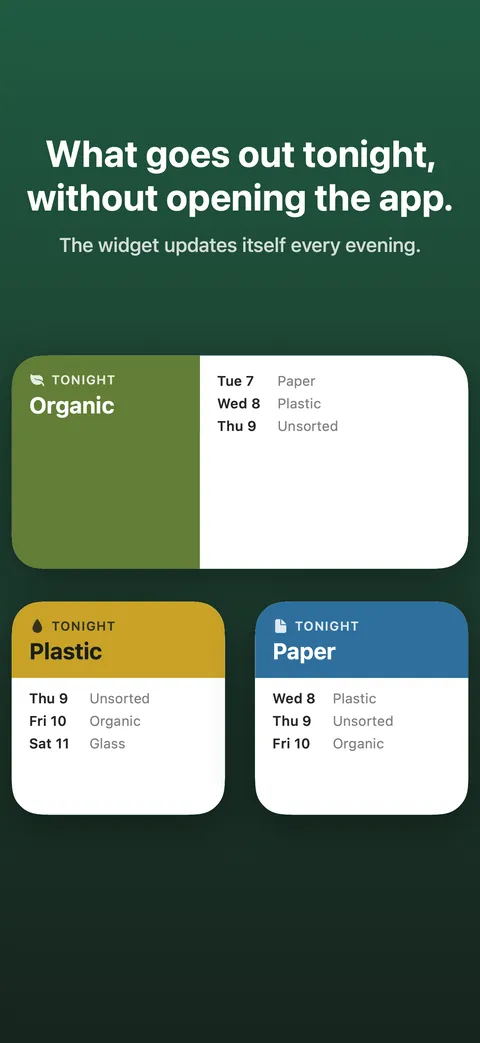
On Android and on iPhone: the coloured header says what goes out tonight, with its icon; below, the following days. It updates itself every evening, and it is free.
A reminder on time
With Pro, a notification at the time you choose, the evening before collection. If you are out at the first one, add a second.
Your own waste types
Every council has its own categories and its own names. Start from the ready-made types and rename them, change icon and colour, or create your own.
Sharing and backup
Send the calendar to a neighbour and they get the same days without typing them in, for free. With Pro you save everything to a file and take it to a new phone.
English and Italian
The app follows your phone's language. So do the dates and the weekday names.
Free, then Pro if you need it
One purchase, no subscription, no renewal. Change phone and you restore it from your Google account or your Apple ID. On Android, if you changed account too, there is a transfer code inside the app.
Base
Free
- One collection calendar
- Unlimited waste types and rules
- Exceptions, skips and extra collections
- Widget showing tonight's collection and the following days
- Share the calendar with a neighbour
- No advertising, no account
Pro
€2.99 one-off. Local price and tax apply
- Everything in the base version
- The reminders: the notification the evening before
- A second reminder, for anyone who ignores the first
- Multiple calendars: home, holiday house, your parents'
- Full backup to a file, for your new phone
- The app colour, chosen by you out of ten
Your data stays yours
TrashCan has no account, asks for no registration and collects no usage analytics. The calendar, the waste types and the reminders live in your phone's storage and are never sent anywhere. The only thing that leaves the device is the purchase check, because Google or Apple performs it.
Something wrong, or something missing?
Reports are read by one person, who is the same person who writes the code. Tell me what happened and on which phone: it is the fastest way to get it fixed.