
Boomerang
Available on the App StoreWho has
your things?
The drill you lent next door, a book with a friend, the tent your brother borrowed. Boomerang remembers who has what, for how many days and when it is due back, and sends you a reminder on the due date.
What it looks like
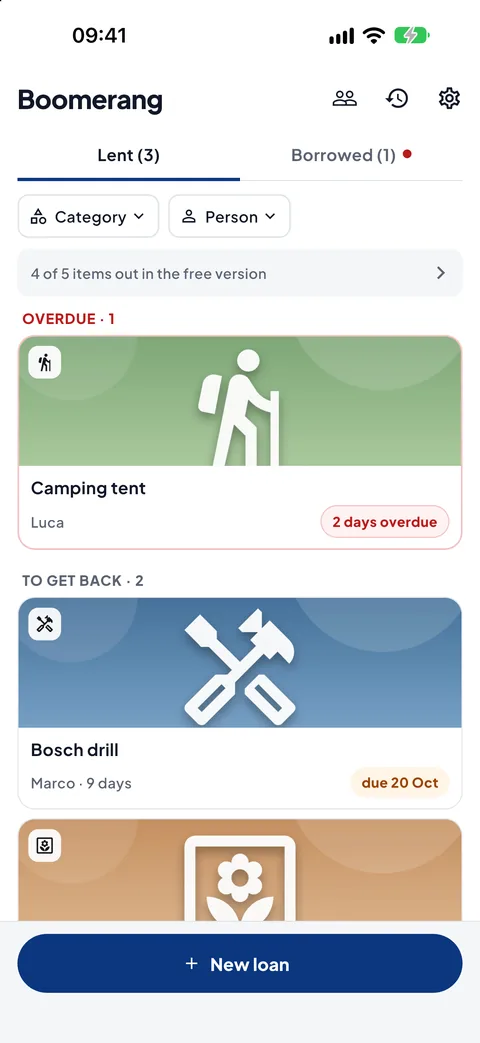
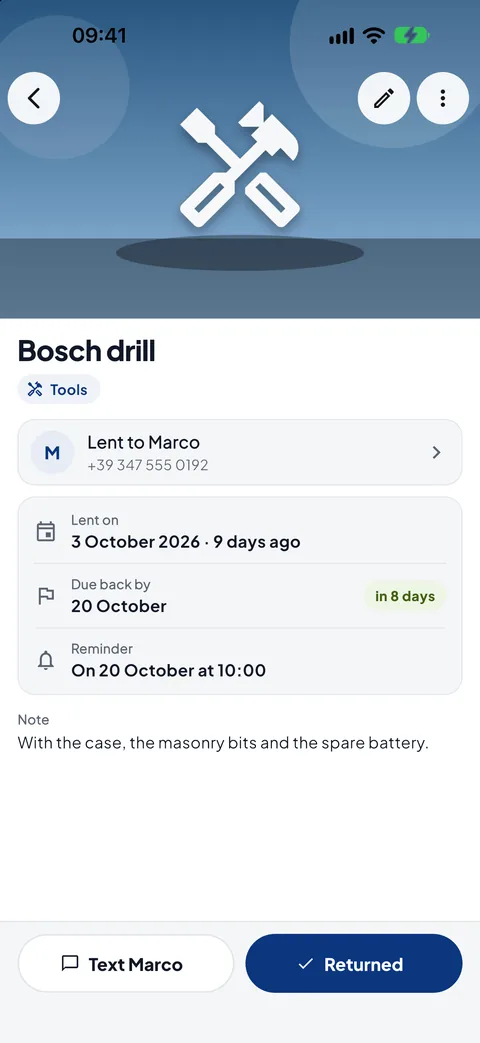
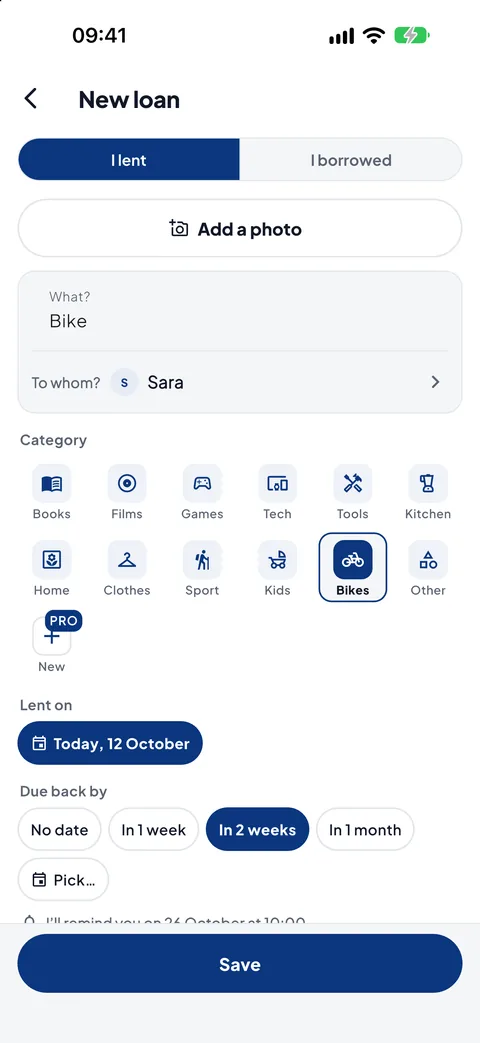
Real screenshots of the app, not mock-ups: what you see here is what you get on your phone.
"Who did I lend that to?"
A book, a tool, a game: you lend it gladly, then months go by and nobody remembers who has it. Boomerang keeps a list of what you lent and what you borrowed, with the dates, and reminds you when it is time for things to come back.
Two lists
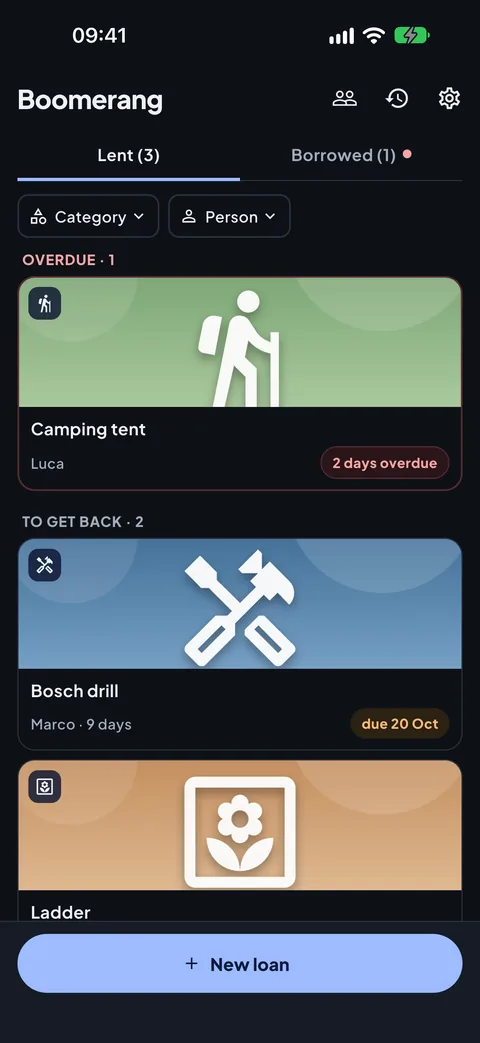
Under "Lent" your things that other people have, under "Borrowed" other people's things that you have. For each one, how many days and when it is due; only what is overdue stands out.
A reminder on the due date
On the return date you get a reminder and, if the item has not come back yet, two more after 3 and 7 days. They are notifications from your phone: they pass through no server.
The message is already written
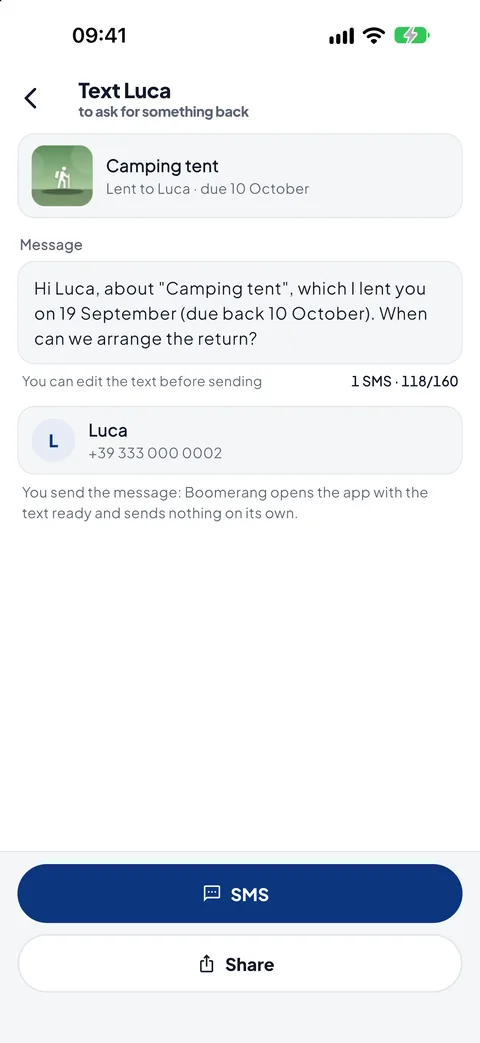
To ask for something back, a polite and clear message for a text or WhatsApp: the app opens Messages or WhatsApp with the text ready, and you send it.
What's inside
Everything you need to get your things back, and nothing else.
A photo for every item
Taken or picked from your gallery, it stays inside the app: no doubt about which drill or which book. Plus 12 categories with icons, a note, and the loan and return dates.
As many people as you like
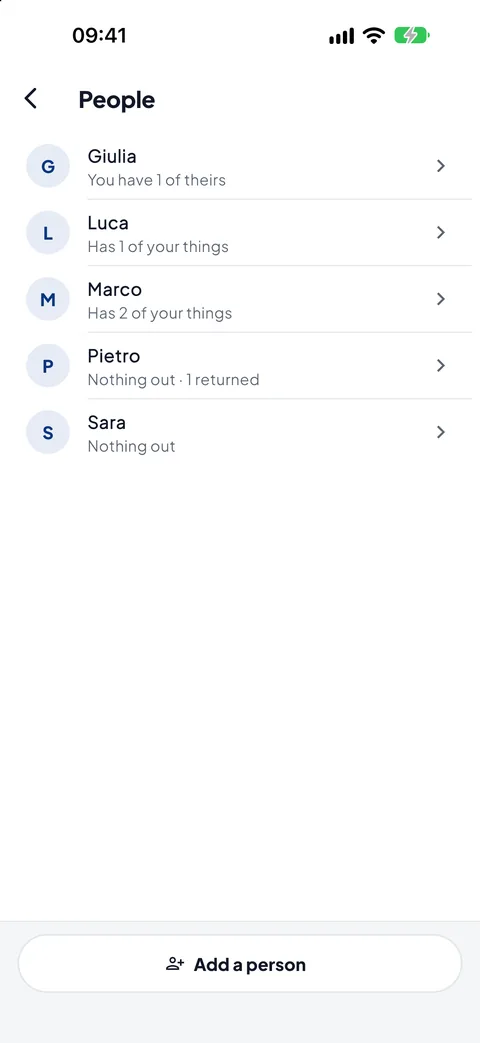
From your phone's contacts or typed in. For each person you see what they have from you, what they lent you and what has come back, and you can ask for everything in a single message.
Filters and search
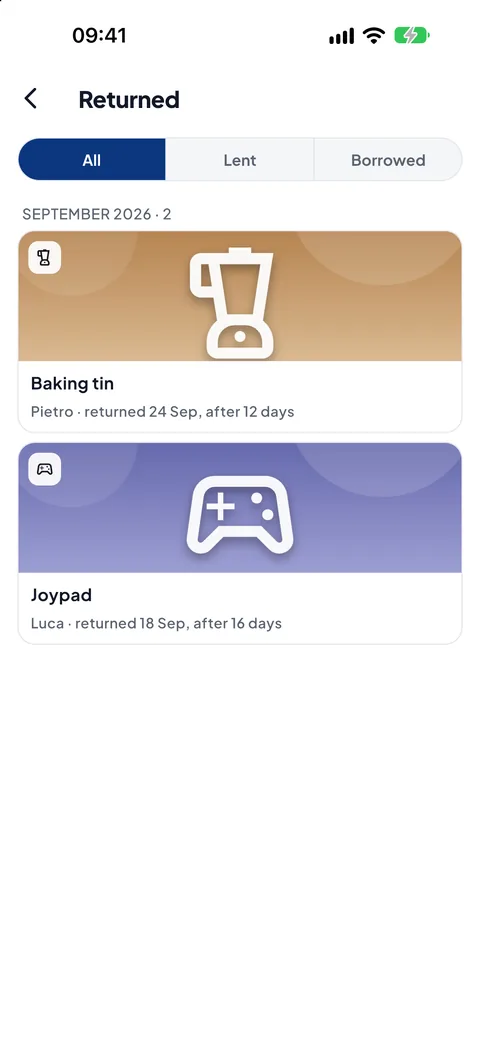
By person and by category, and a search that finds an item by its name, its note or who has it. When something comes back, tap "Returned" and it moves to the history.
No limit on items
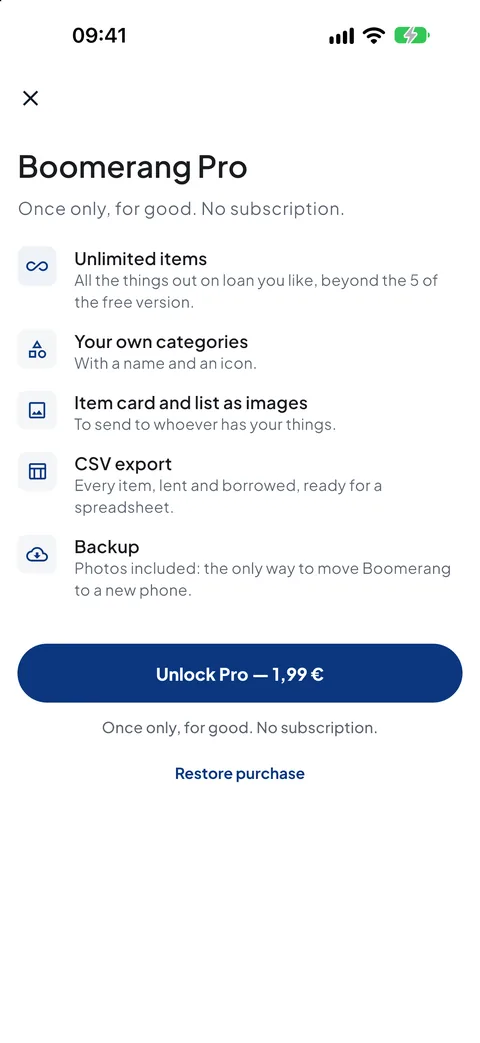
With Pro, as many items out on loan as you like, instead of 5 at a time, and your own categories, with a name and an icon.
A card to send
With Pro, an item's card, with its photo, and the list of things a person has, as an image ready to send.
CSV and backup
With Pro, every item in a CSV and a backup, photos included, to move to a new phone. Restoring stays free.
Free, then Pro if you need it
The free version has photos, reminders, people and messages to ask for things back, with up to 5 items out at a time: when one comes back, a slot frees up. Pro is a single purchase, no subscription, no renewal; if you change phone you restore it from the store, with the same account.
Basic
Free
- Up to 5 items out at a time
- Photos of your items
- Reminders on the due date
- People from your contacts, or typed in
- Ready-written messages, by text or WhatsApp
- The full history of returned items
- Restoring from a backup
- No ads, no account
Pro
€1.99 one-off, VAT included
- Everything in the basic version
- Unlimited items out on loan
- Your own categories, with a name and an icon
- An item's card and a person's list, as images
- Every item in a CSV
- A backup, photos included
Your data stays yours
Boomerang has no account, asks for no sign-up and collects no usage statistics. Items, photos and people live in your phone's storage and are not sent anywhere. The camera and the gallery open only when you add a photo. You pick people from your contacts with the system picker, without giving the app permission to read your address book: the app only receives the name and number of the person you tap. Messages never go out by themselves: the app opens Messages or WhatsApp with the text ready, and you send it. Reminders are notifications from your phone. The only thing that goes through the store is the purchase check.
Something wrong, or something missing?
Reports are read by one person, the same one who writes the code. Tell me what happened and on which phone: it's the fastest way to get it fixed.