
QR Me
Available on the App StoreShare it,
and it's a QR
From Safari, Notes or a chat, tap Share and pick QR Me: the QR is already there, full screen and at full brightness, ready to be scanned. And it reads QR codes too, for free.
What it looks like
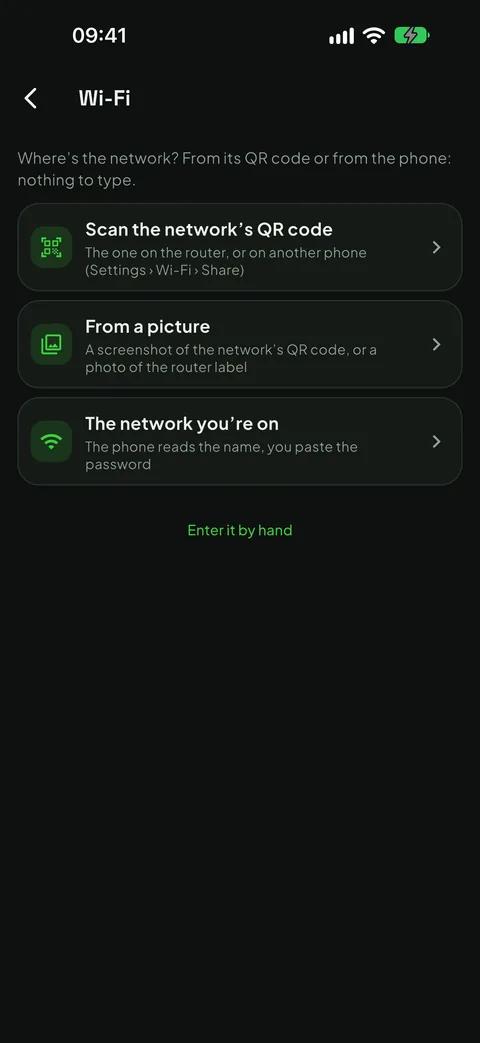
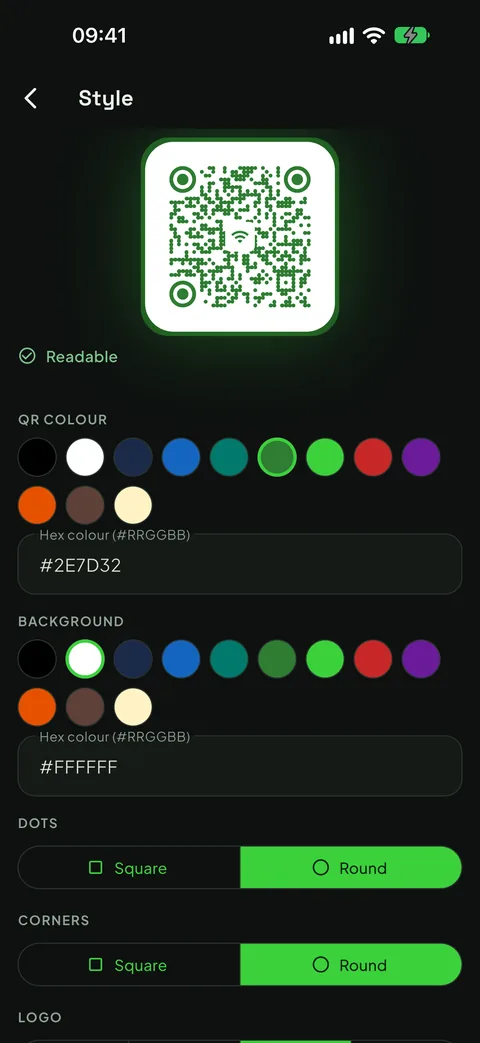
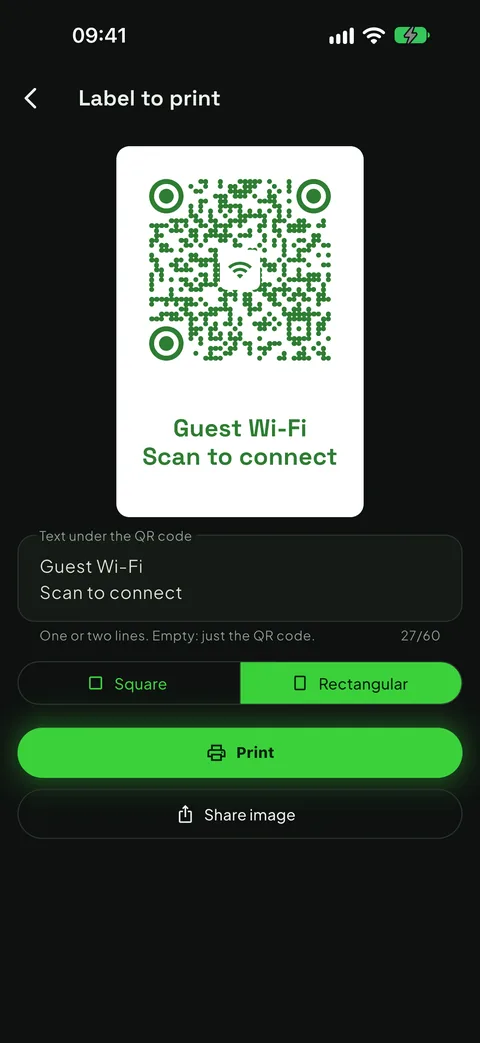
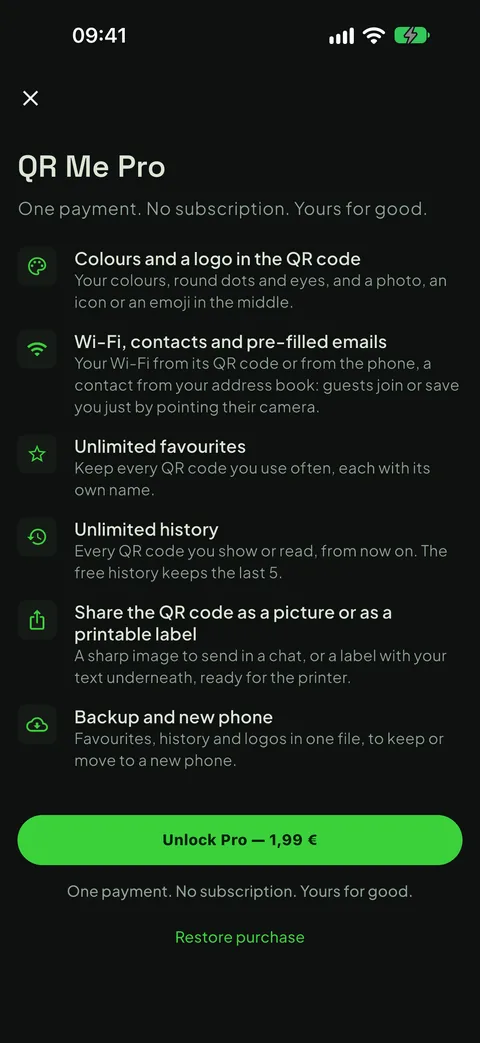
Real screenshots of the app, not mock-ups: what you see here is what you get on your phone.
“Can you send me the link?”
The link is on your phone and the person who wants it is right in front of you: instead of looking up their number, opening a chat and pasting, you let them scan it. With QR Me it takes two taps, from any app.
From the Share button
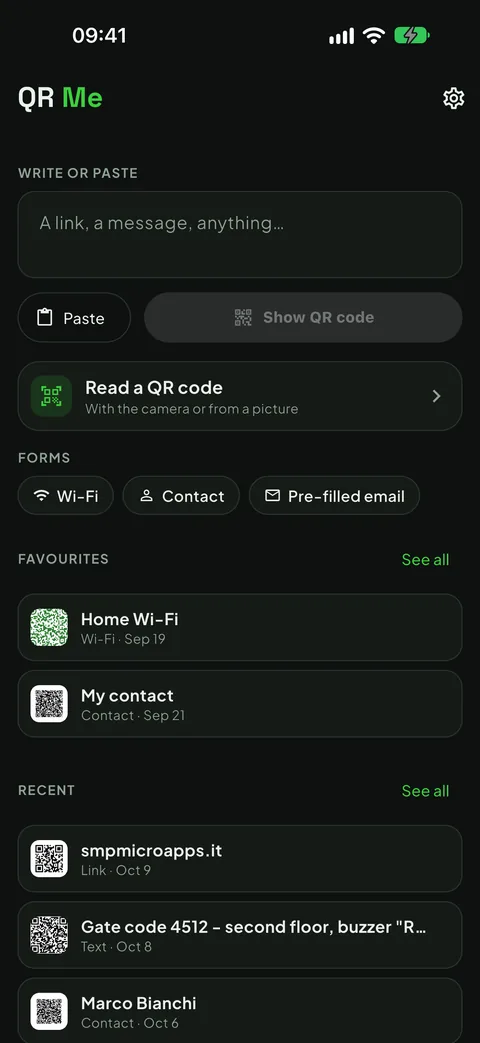
From Safari, Notes or a chat, tap Share and pick QR Me: the QR is ready. You can also type or paste some text or a link and show it straight away.
Big and bright
The QR fills the screen and the brightness goes to maximum, so whoever scans it gets it first time.
And it reads them, for free
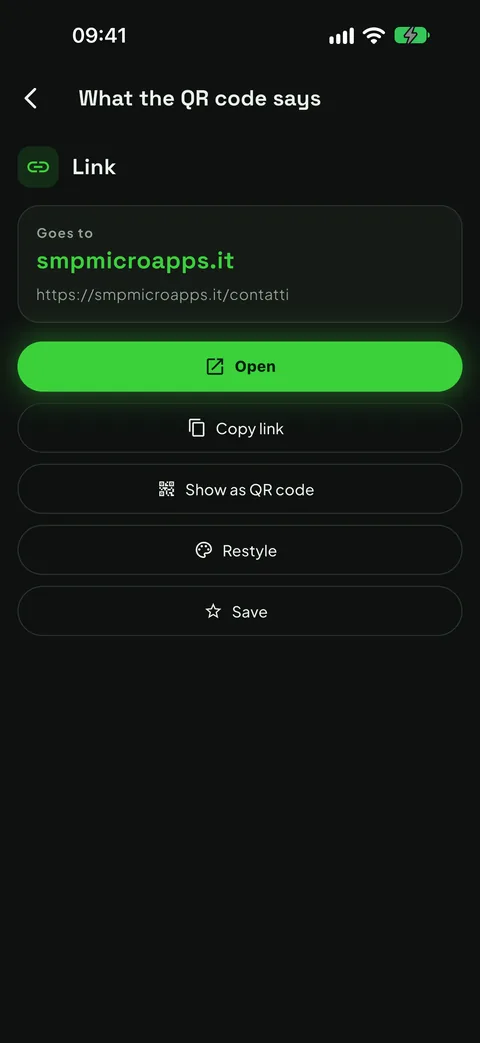
Point the camera at a QR code, or read it from a photo or a screenshot. Copy, open, call or write with one tap.
What's inside
Everything you need to pass on a link or a password with a single scan, and nothing else.
Links never open by themselves
A link read from a QR never opens automatically: first you see the website, in large type, and you decide whether to open it. Every QR you read can be shown again and saved.
Favourites and history
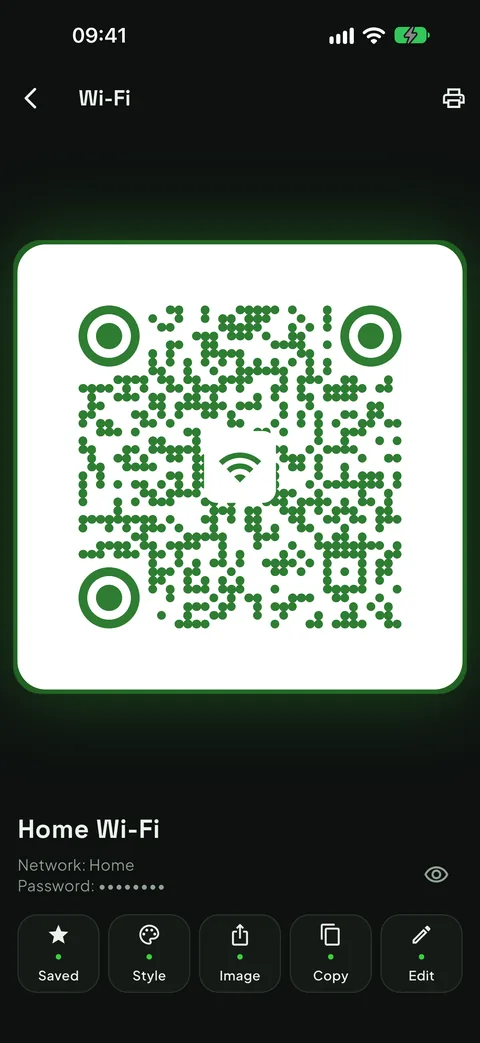
Your home Wi-Fi or your contact always at hand, each with its name, and your latest QR codes in a history you can switch off or clear at any time. Under a Wi-Fi QR the password stays hidden.
Wi-Fi for guests
With Pro, the Wi-Fi QR without typing a thing: from the network's QR code, a screenshot or the network you are on. Guests join just by scanning, without you reading out the password.
Your contact in a QR
With Pro, your contact picked from the address book, saved once and always ready: whoever scans it adds you to their contacts. And a pre-filled email, with the address and the text.
Your style
With Pro, your colours, round dots and corners, and a photo, an icon or an emoji in the middle. The app reads the QR back and tells you if it still scans. You can restyle a QR you have scanned, too.
A picture or a label
With Pro, share the QR as a picture to send in a chat, or as a label to print with your own text below: the guests' Wi-Fi on the fridge or by the door.
Free, then Pro if you need it
In the free version you share, show and read as many QR codes as you like. Pro is a single purchase, no subscription, no renewal; if you change phone you restore it from the store, with the same account.
Basic
Free
- The QR of anything you share, from any app
- Text and links, typed or pasted
- The QR full screen, at full brightness
- Reading from the camera and from pictures
- Your last 5 QR codes in the history and one favourite
- Restore from a backup
- No ads, no account
Pro
€1.99 one-off, VAT included
- Everything in the free version
- Wi-Fi without typing a thing, from the network's QR, a screenshot or the network you are on
- Your contact from the address book and the pre-filled email
- Style: colours, dots, corners and a logo in the middle
- The QR as a picture or as a label to print
- Unlimited favourites and history
- Full backup, logos included
Your data stays yours
QR Me has no account, asks for no sign-up and collects no usage statistics. Favourites and history live in your phone's storage and are not sent anywhere. The camera and your photos open only when you read a QR, and the reading happens on the phone, with a library built into the app: no picture ever reaches us or anyone else. You pick your contact from the address book yourself, without giving the app permission to read it, and location serves only to read the name of the Wi-Fi network you are on: it is not used for anything else, nor saved. The only thing that goes through the store is the purchase check.
Something wrong, or something missing?
Reports are read by one person, the same one who writes the code. Tell me what happened and on which phone: it's the fastest way to get it fixed.