
Spending Review
Available on the App StoreHow much
are you
spending?
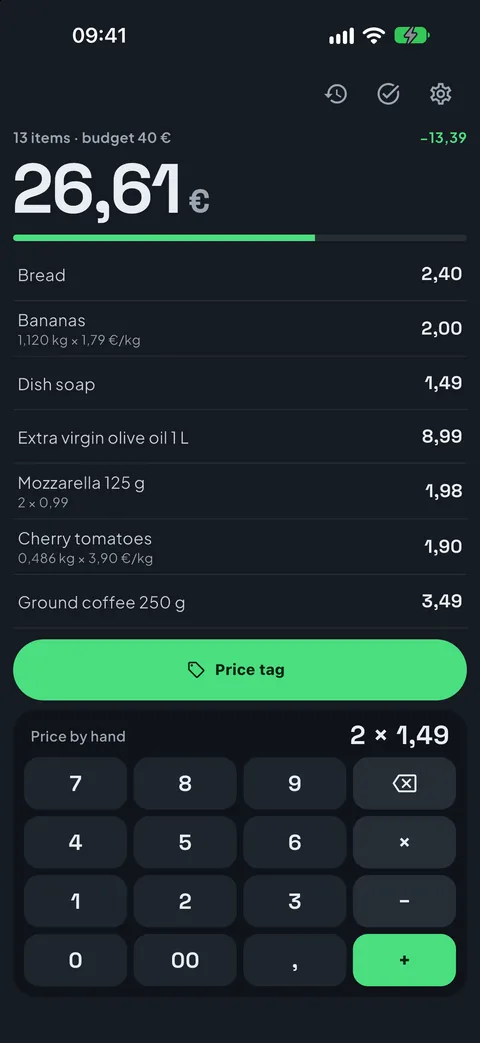
The grocery total you keep with one hand, with the trolley in the other. Tap the price on the keypad or point at the price tag: the total goes up at once and the bar tells you how much budget is left. At the till you already know what you will pay.
What it looks like
Real screenshots of the app, not mock-ups: what you see here is what you get on your phone.
"How much will it be at the till?"
In the aisles you add up prices by eye, and at the till the total is always higher than you thought. Spending Review keeps count while you fill the trolley, so you decide before, not after.
A till-style keypad
Always on screen: 2 4 9 makes 2.49, just like at the till, no decimal point. × for quantity, − for a discount or a voucher, + to add.
Point at the price tag
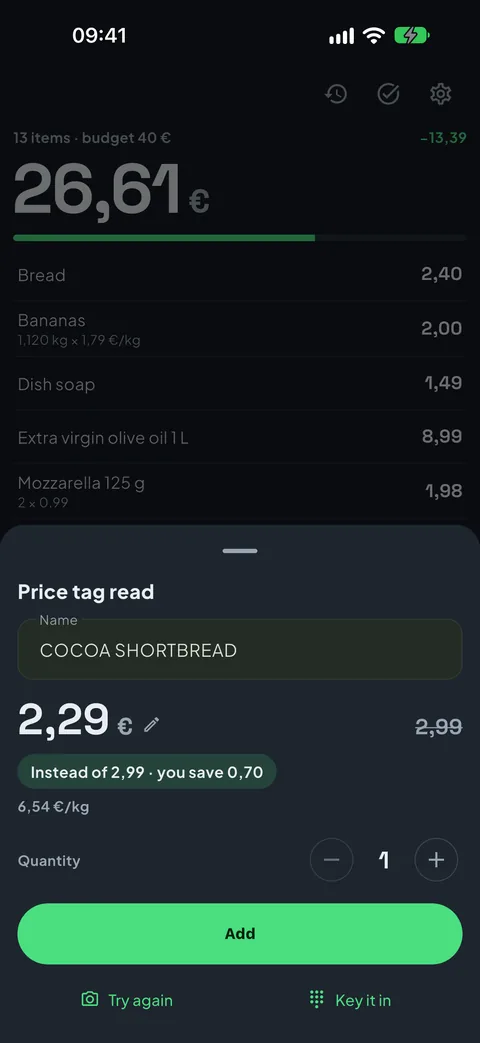
Name, price to pay, crossed-out price and price per kg, read from the shelf tag. Nothing goes in by itself: you check and tap Add.
The budget always in sight
The big total at the top goes up with every item, and the bar below tells you how much is left of the budget you set.
What's inside
Everything you need to reach the till already knowing the total, and nothing else.
Offers, already worked out
3 for 2, 2 for 1, −30%, second one half price: the offer on the tag goes into the total already done. If there's a loyalty card price and a normal one, you choose with a tap. From a photo you already took, too.
Fruit and veg by weight
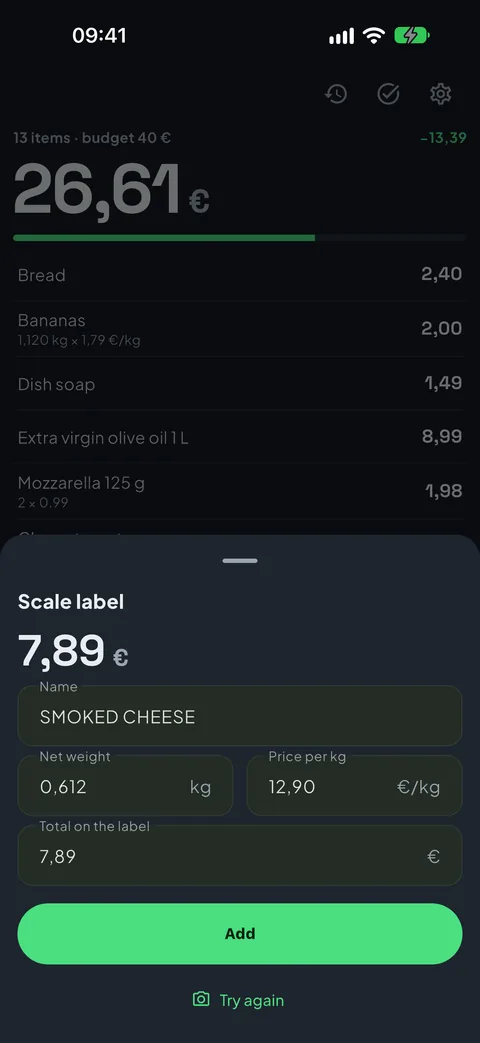
Type the weight after a per-kg price, or point at the scale label: weight, price per kg and total, no maths.
Fix it with a tap
Tap a line to fix it, swipe it to remove it. Handwritten tags can't be read: for those there's the keypad.
Your shopping history
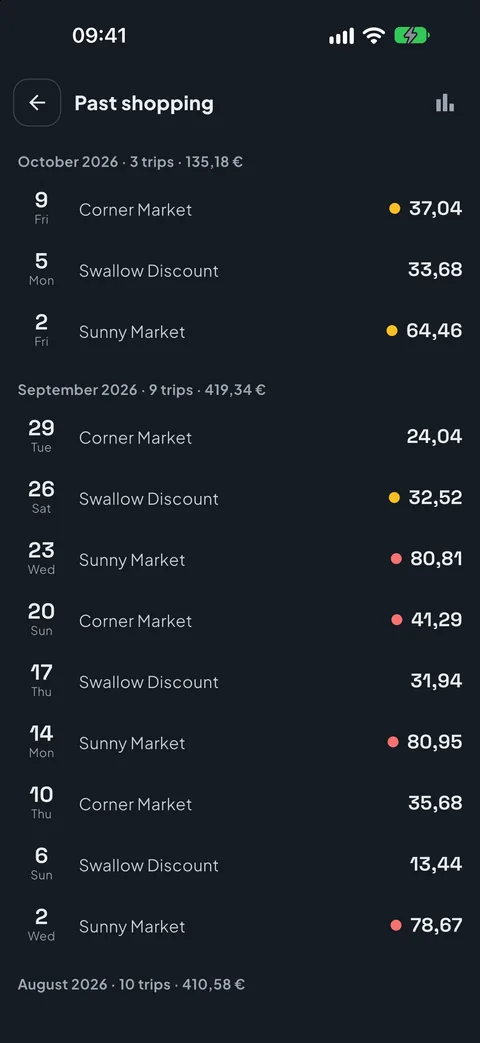
Close each trip with the shop and the date, and find the last 5 always at hand. With Pro, all of them: the others are already on your phone.
Where the money goes
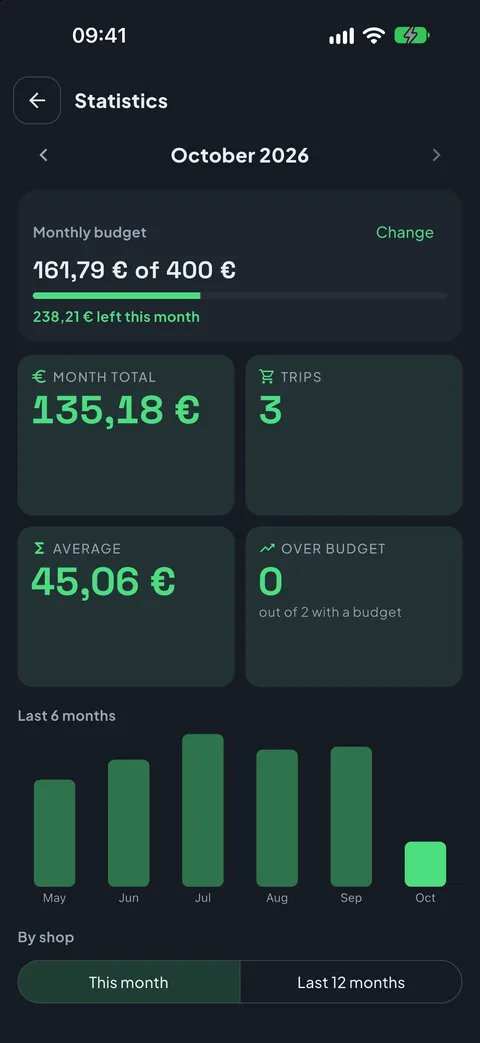
With Pro, statistics by month and by shop: average spend, budget overruns and a budget for the whole month.
Spreadsheet and backup
With Pro, every item of every trip in a CSV, and a backup of your history, to keep or to move to a new phone.
Free, then Pro if you need it
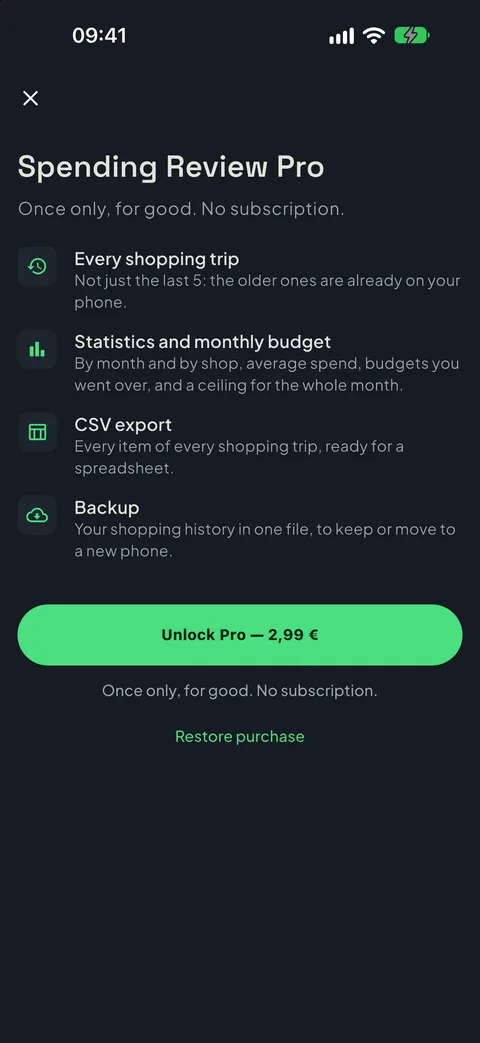
In the free version price tags are read without limits. Pro is a single purchase, no subscription, no renewal; if you change phone you restore it from the store, with the same account.
Basic
Free
- The till-style keypad, always on screen
- The budget, with a bar of how much is left
- Price tag reading, without limits
- Weights and scale labels
- Your last 5 trips
- Restoring from a backup
- No ads, no account
Pro
€2.99 one-off, VAT included
- Everything in the basic version
- All your trips, not just the last 5
- Statistics by month and by shop
- The monthly budget and overruns
- Every item of every trip in a CSV
- A backup of your history
Your data stays yours
Spending Review has no account, asks for no sign-up and collects no usage statistics. Your trips and history live in your phone's storage and are not sent anywhere. The camera opens only when you point it at a price tag or a scale label, and the reading happens on the phone: the photo never reaches us or anyone else, it is deleted as soon as it is read, and the text read is not saved. Only the name and price you confirm are kept. The only thing that goes through the store is the purchase check.
Something wrong, or something missing?
Reports are read by one person, the same one who writes the code. Tell me what happened and on which phone: it's the fastest way to get it fixed.